RaspberryPints 3.0 is the biggest update we have ever shipped. Version 2 gave you a taplist. Version 3 gives you a display for every screen in your taproom and on your guests' phones, a layout designer you can just talk to, and a safety net so nothing you build is ever lost.
Here's what's new.
Describe it, and the layout designer drafts it
Open the Display Editor, click Create New Layout, and next to Start from Scratch you'll find Describe it.
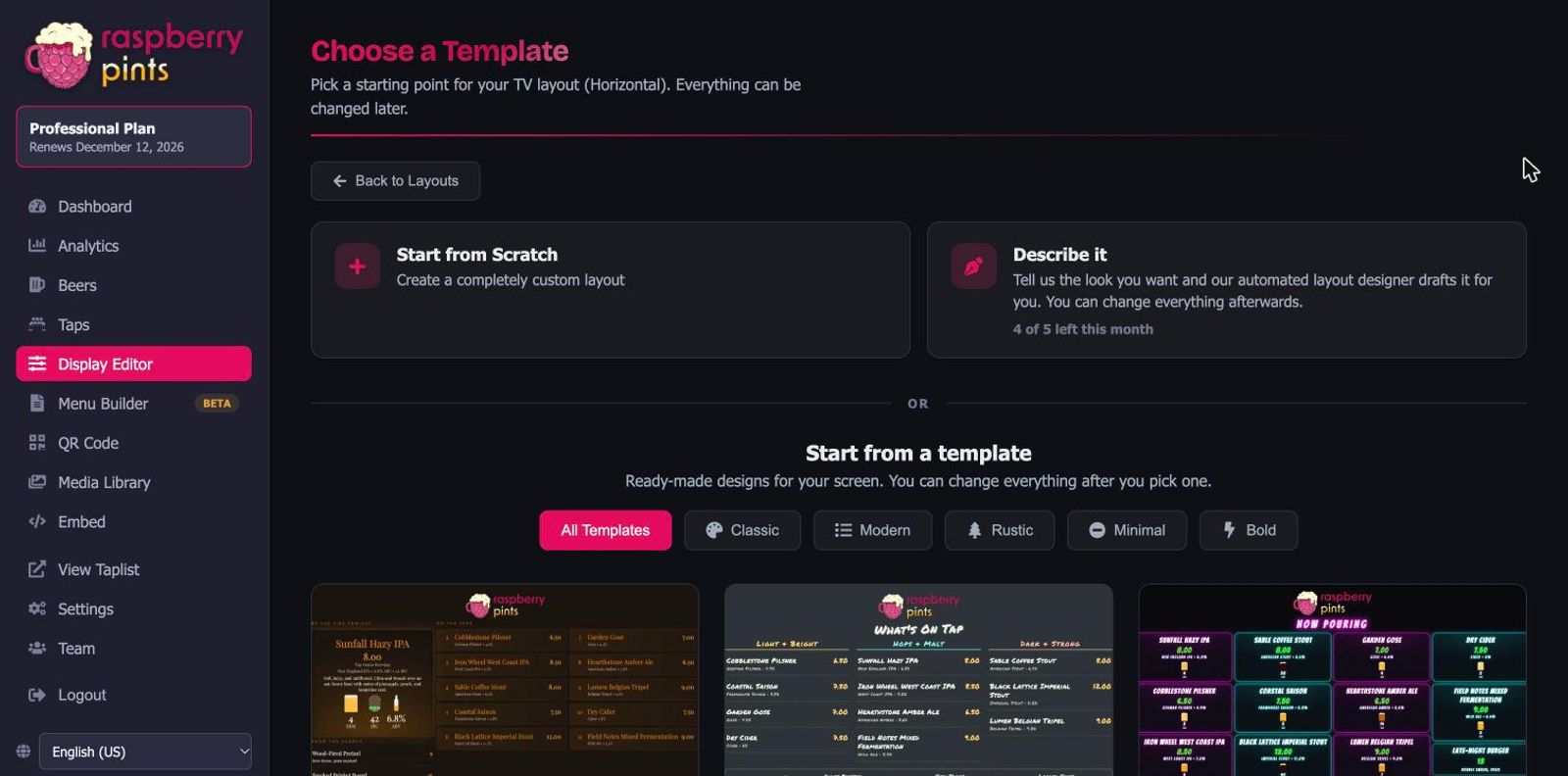
Tell it the look you want in your own words: the mood, the colors, the fonts, what each tap should show, and any food you serve with its prices. Choose whether to use your brand colors and logo, and click Draft my layout.
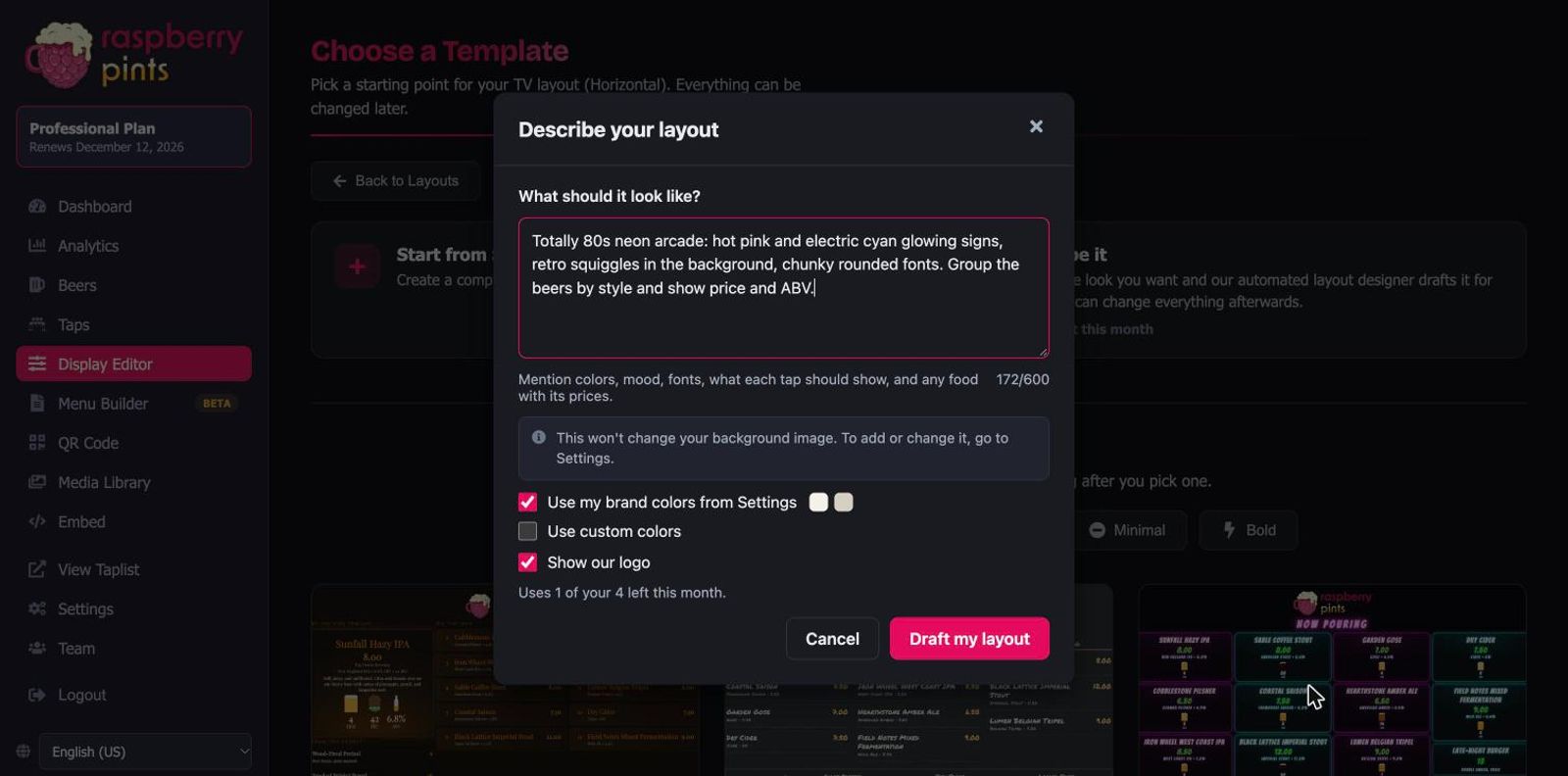
A couple of minutes later you have a full layout, made for the screen you chose, with every one of your taps on it. You don't have to wait around for it, either. Keep working anywhere in the admin, and we'll let you know when your draft is ready.
The draft isn't a picture. It's built from the same items and styles as everything else in the editor, so you can change any word, color or section afterwards. It opens unsaved, ready for you to adjust and save.
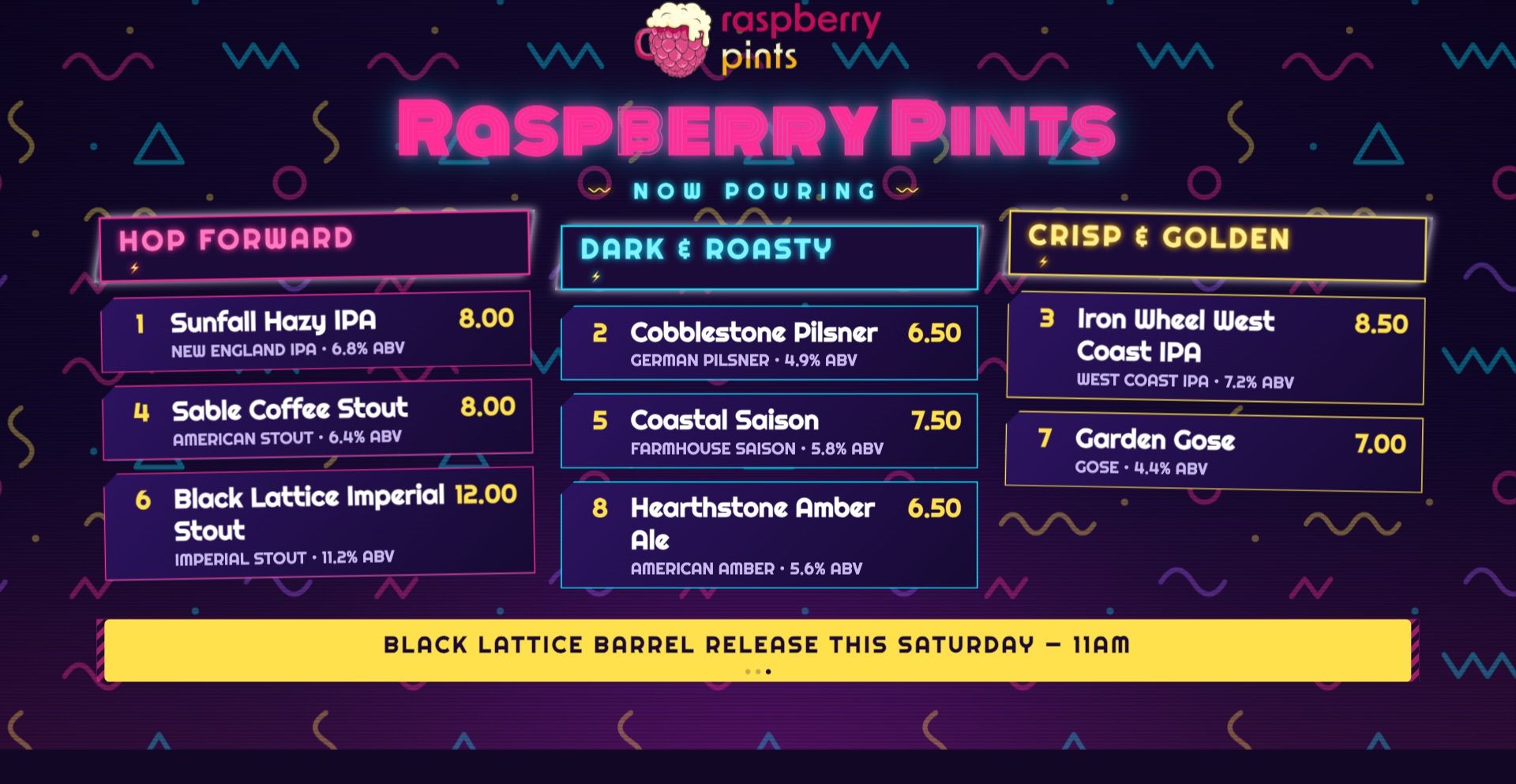
Every draft is unique. Here are a few we made while testing:
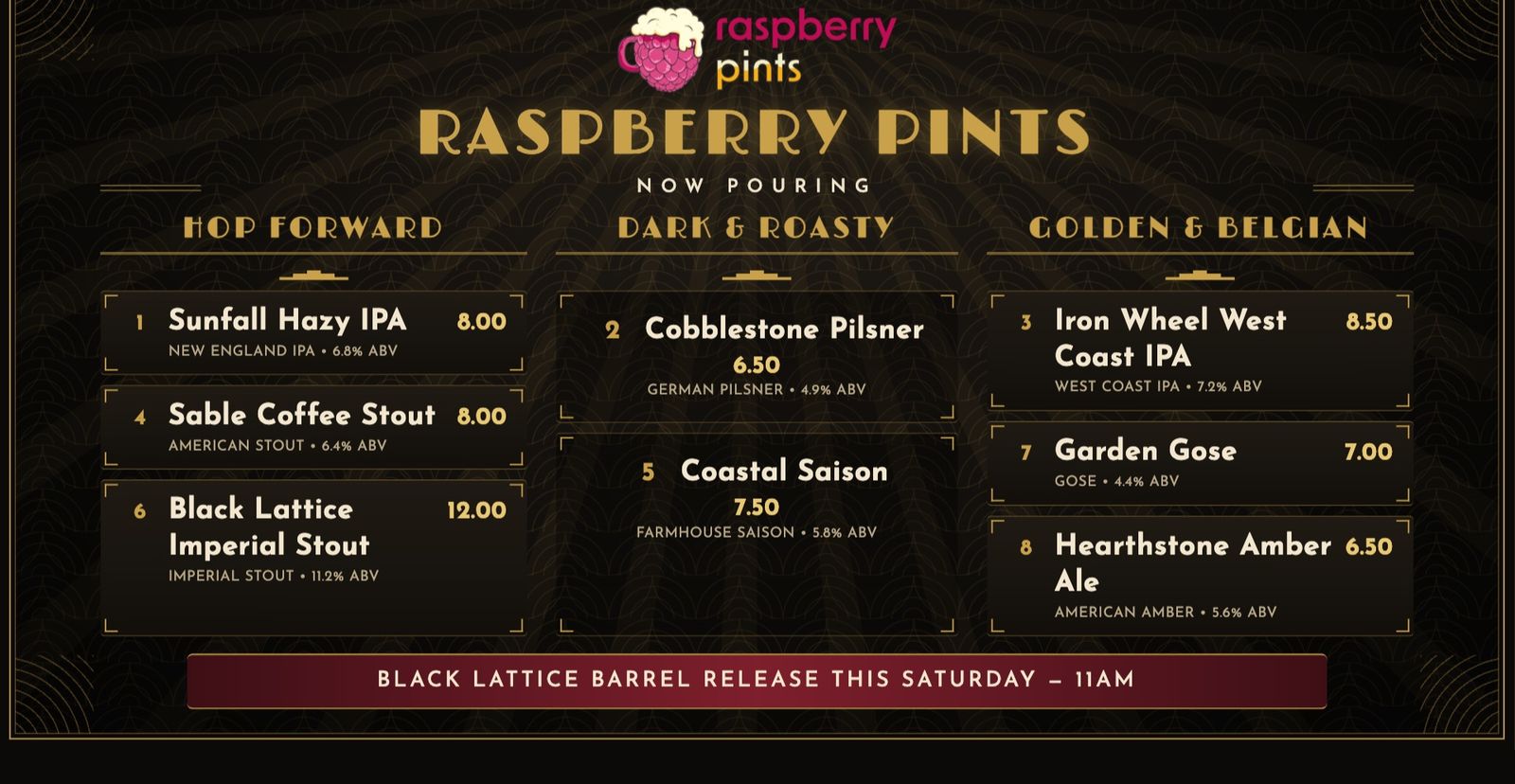
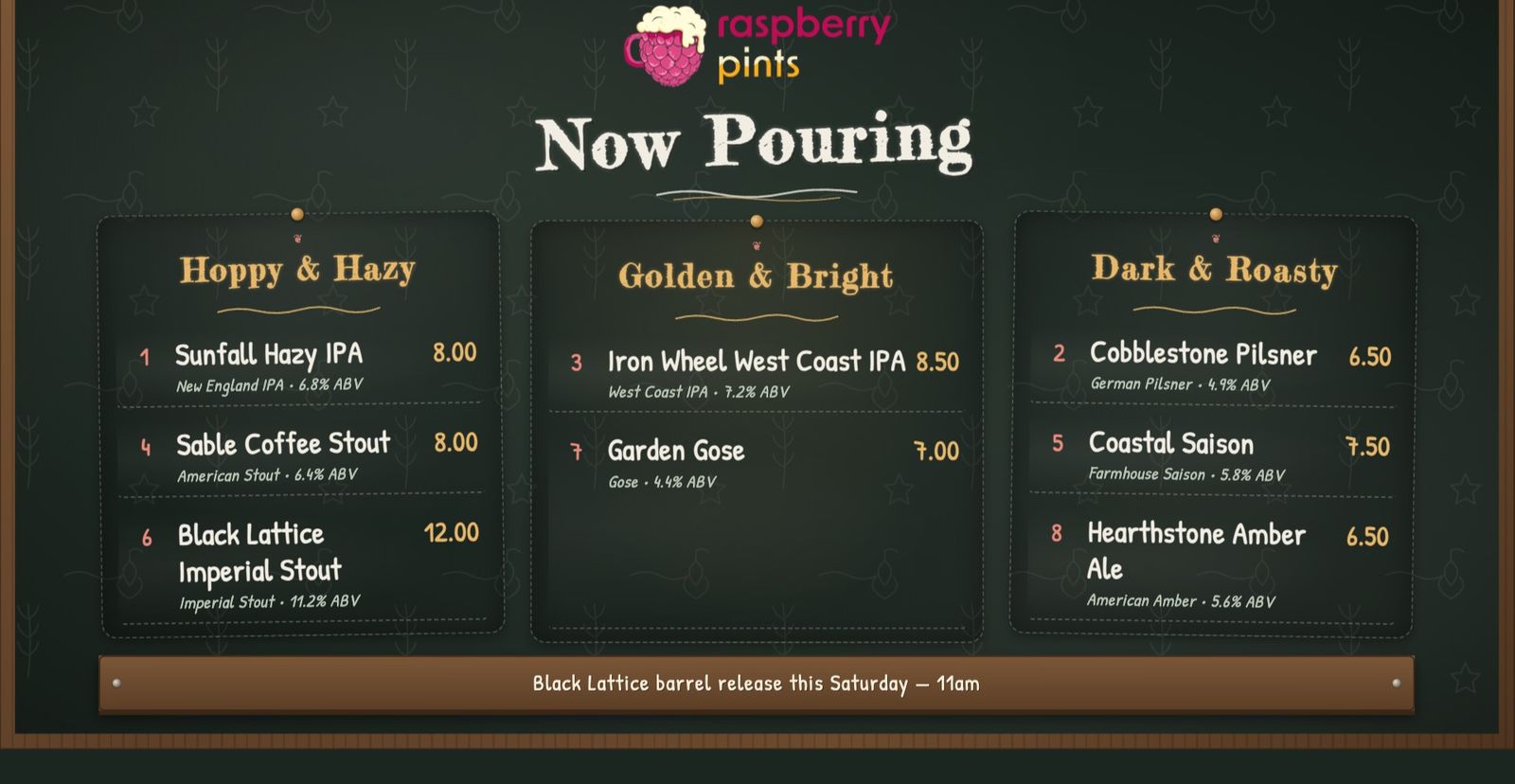
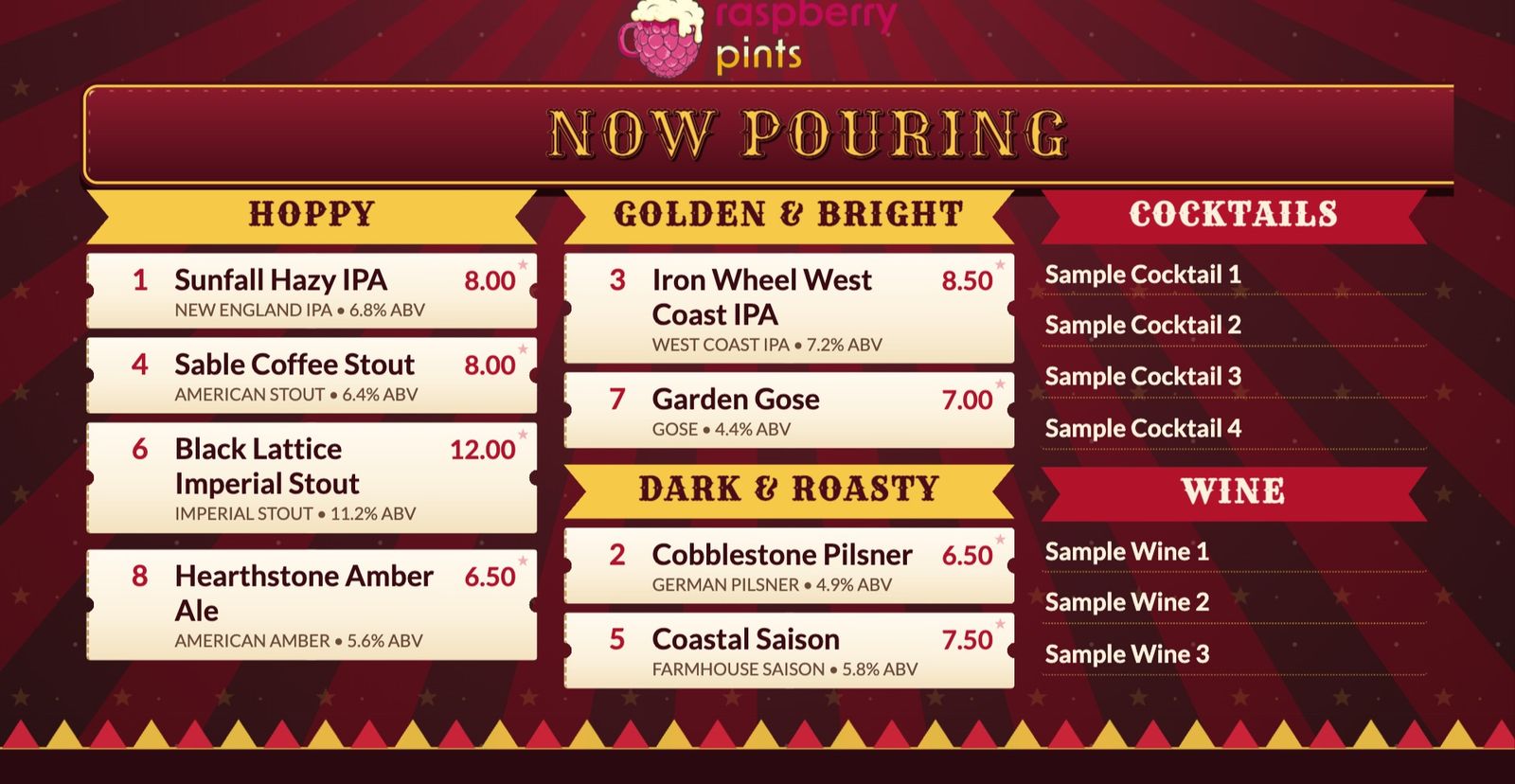
We also check every draft for readability before you see it: text that's too faint against its background gets corrected automatically, so a gold-on-mustard menu never makes it onto your TV.
Ask for changes in plain words
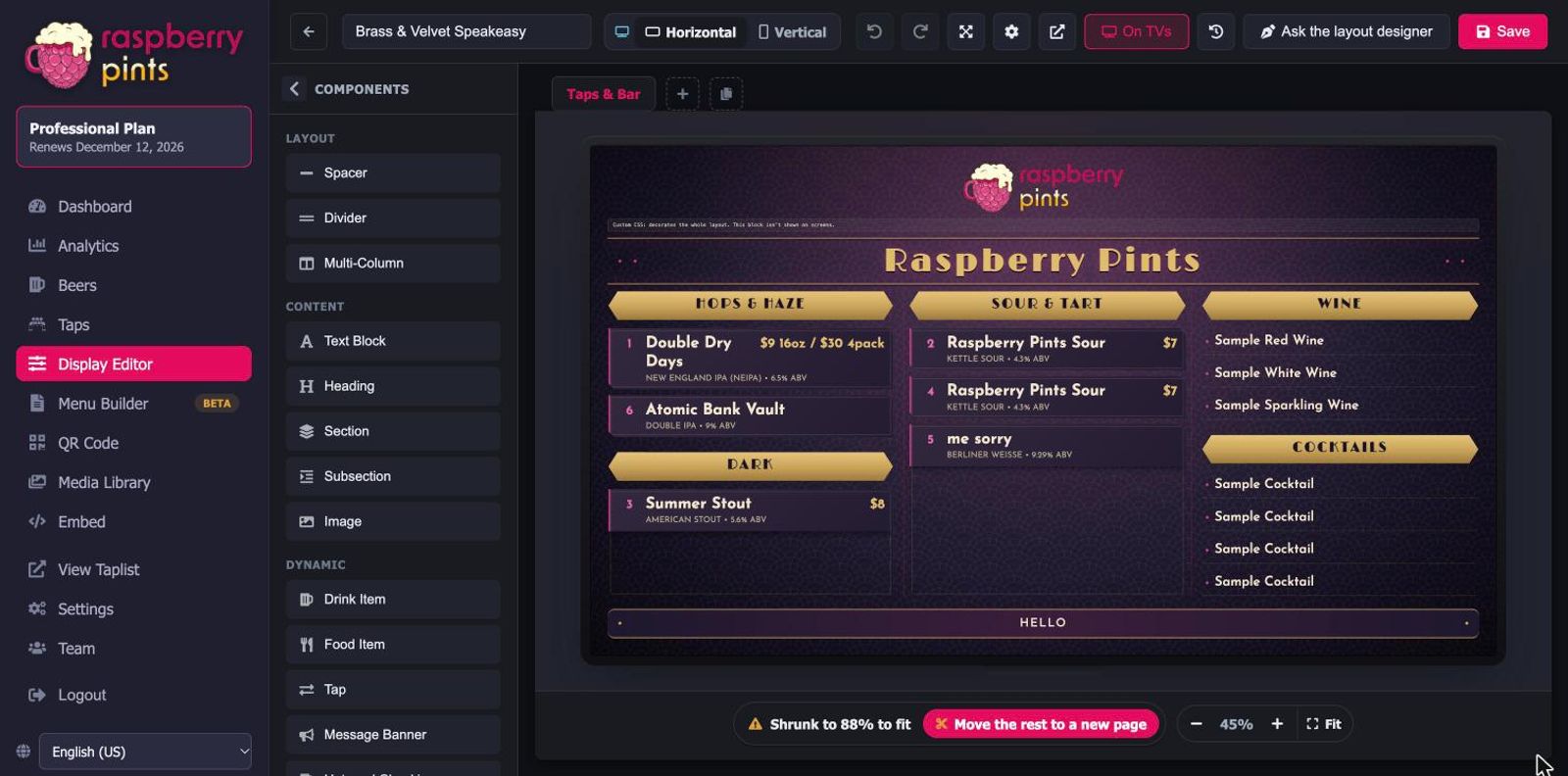
Already have a layout you like? Open it in the editor and click Ask the layout designer. Say what you want changed: bigger prices, a darker background, a new cocktails section.
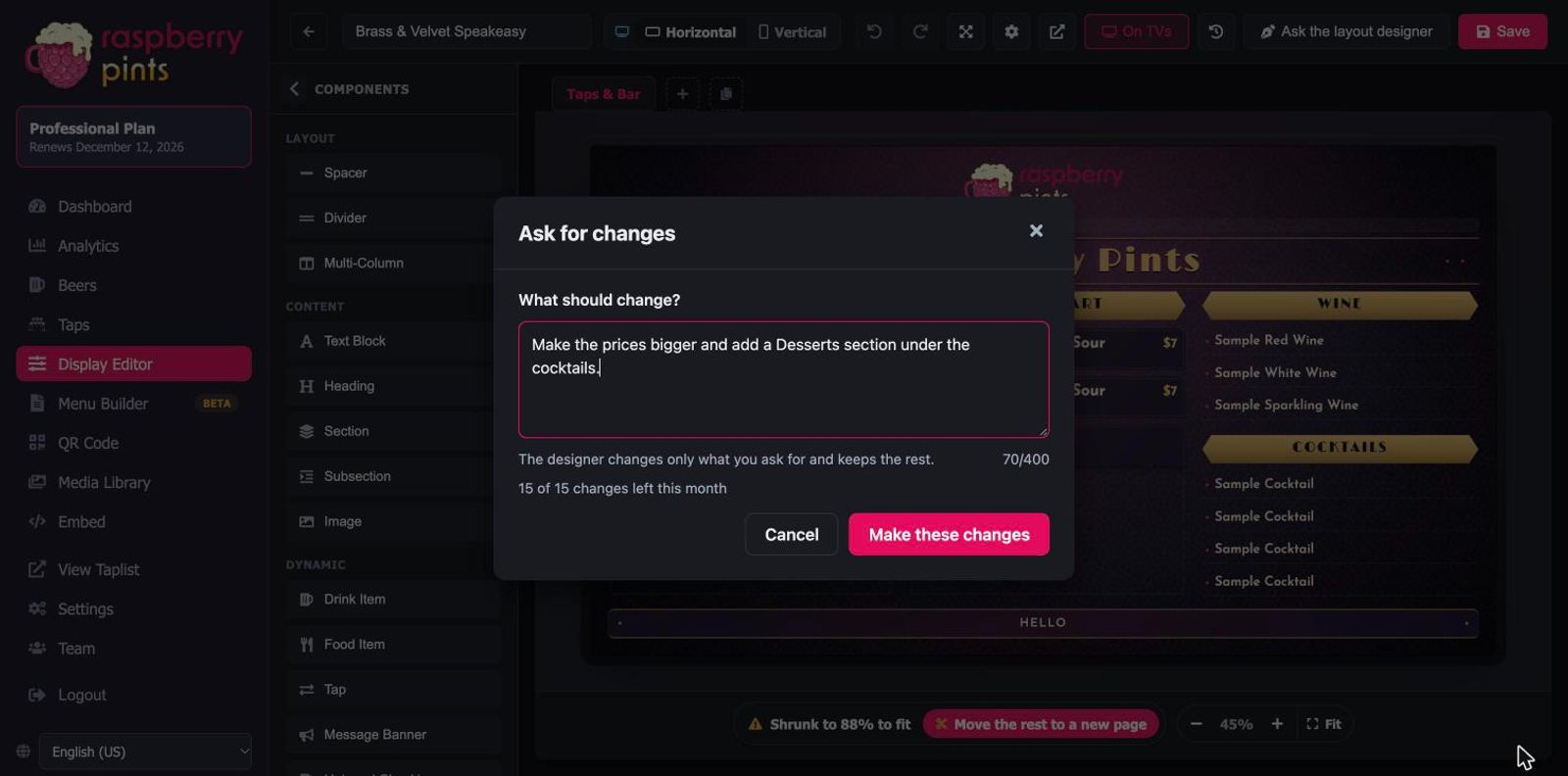
It changes only what you asked for and keeps everything else. The changes open in the editor for you to review, then save, or undo in one click. While the designer works on a layout, that layout is locked, so nothing you're doing gets lost. If the layout was changed somewhere else in the meantime, you choose which version to keep.
Here is a layout before and after a round of changes from the layout designer:
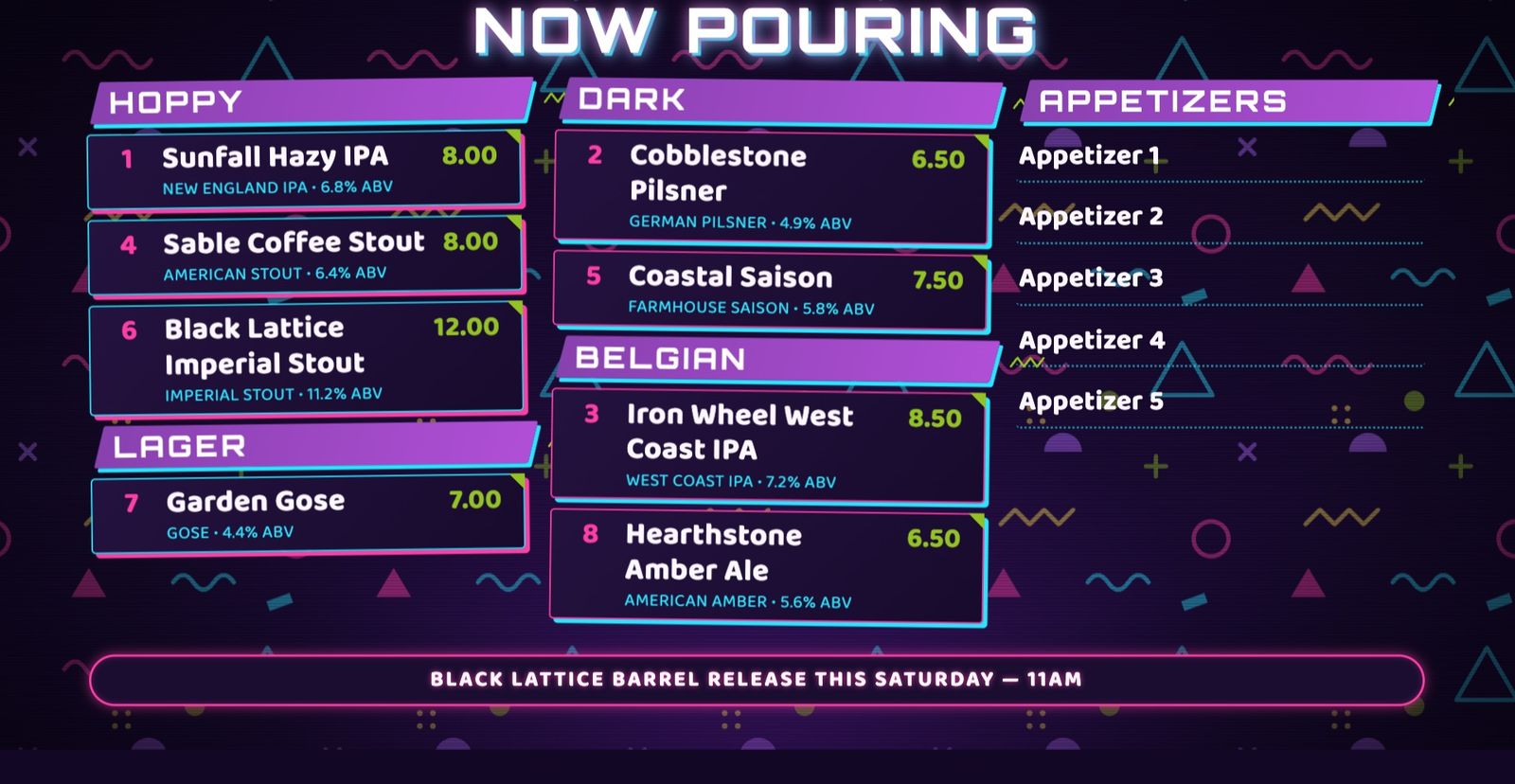
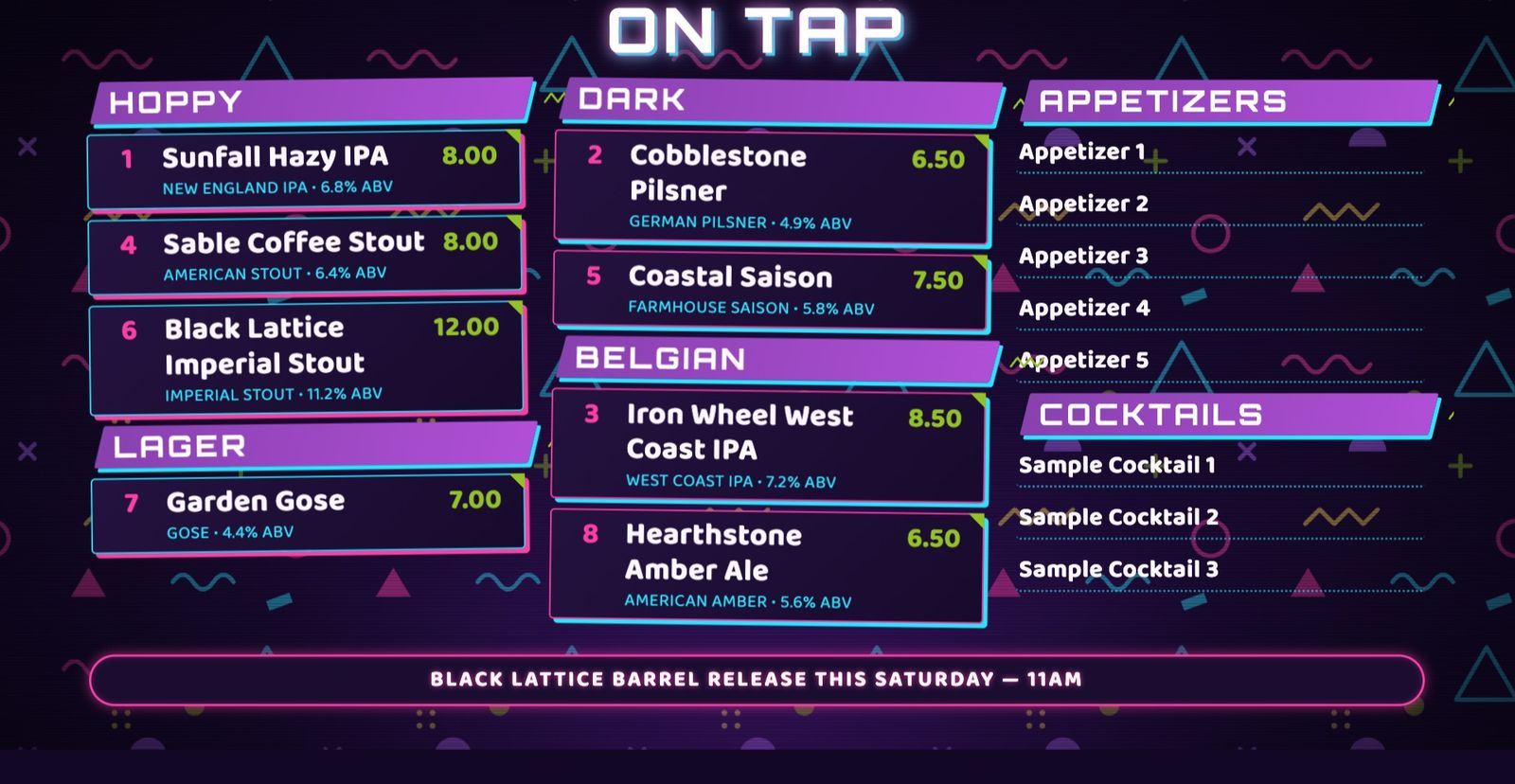
And if you'd rather make a change yourself, everything is still right there in the editor.
TV and responsive layouts
When you create a layout, you now choose where it will be shown.
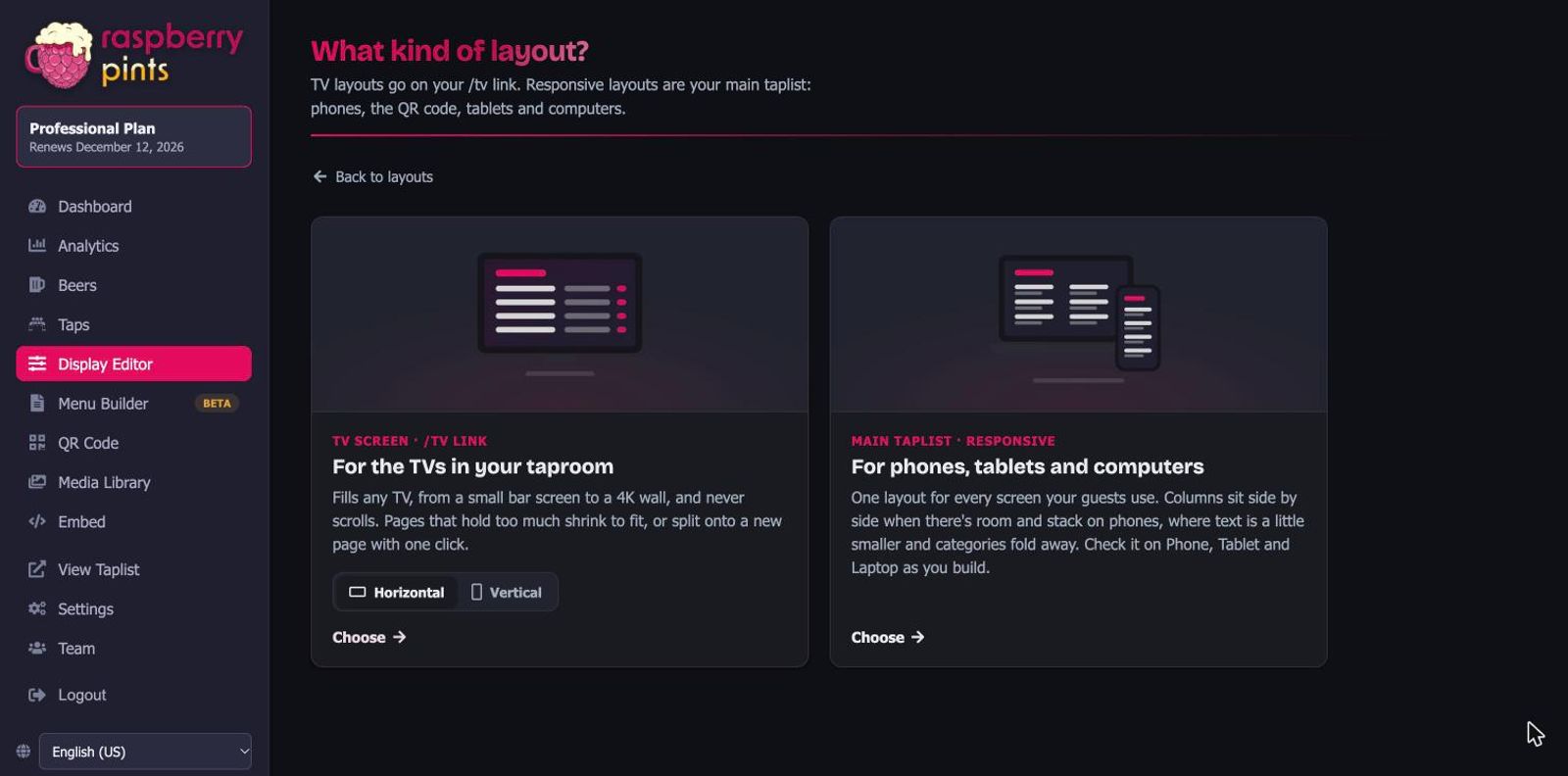
TV layouts are drawn on a full TV screen and scale to fit any TV, from a small bar screen to a 4K wall, without ever scrolling. Switch between horizontal and vertical at any time.
Responsive layouts are for your main taplist: phones, the QR code on your tables, tablets and computers. Columns sit side by side when there's room and stack on phones, and categories fold away so guests open only what they want. Switch the editor between Phone, Tablet and Laptop to see exactly what each one shows.
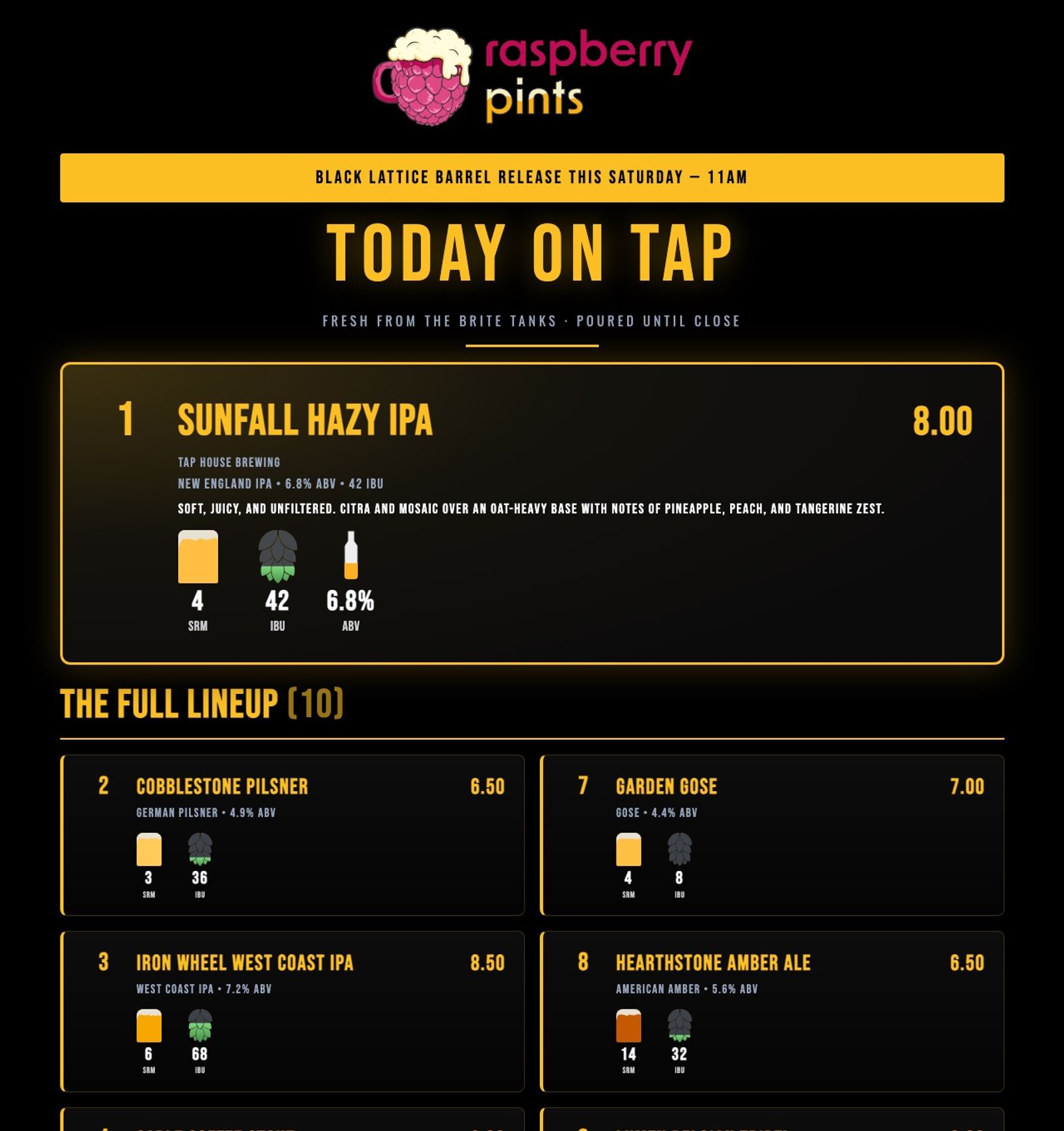
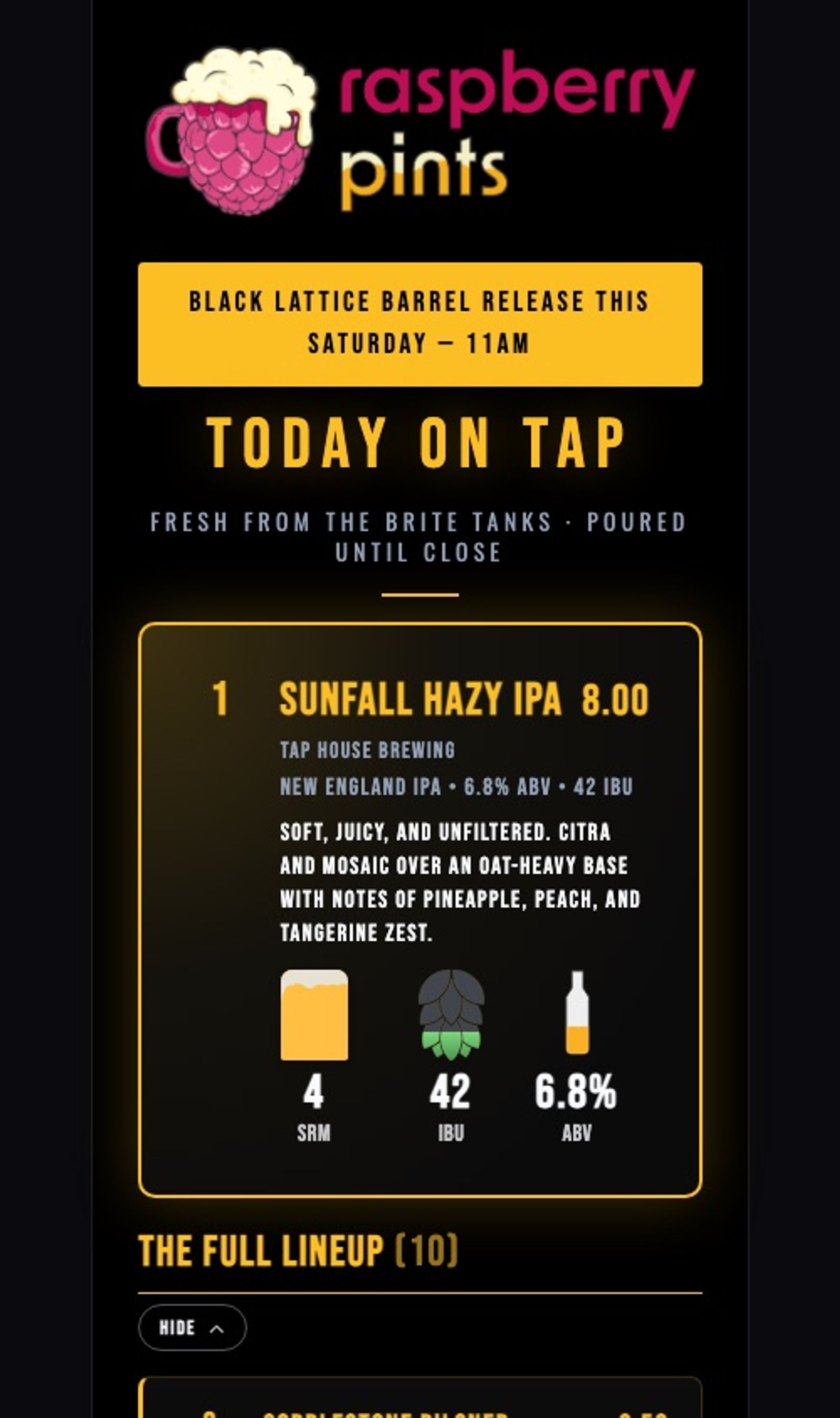
There are eighteen new responsive templates and twenty new TV templates (ten horizontal, ten vertical) to start from. Have an existing layout? Migrate to responsive makes a responsive copy for you to check, while your original stays live and unchanged.
One card for all your screens
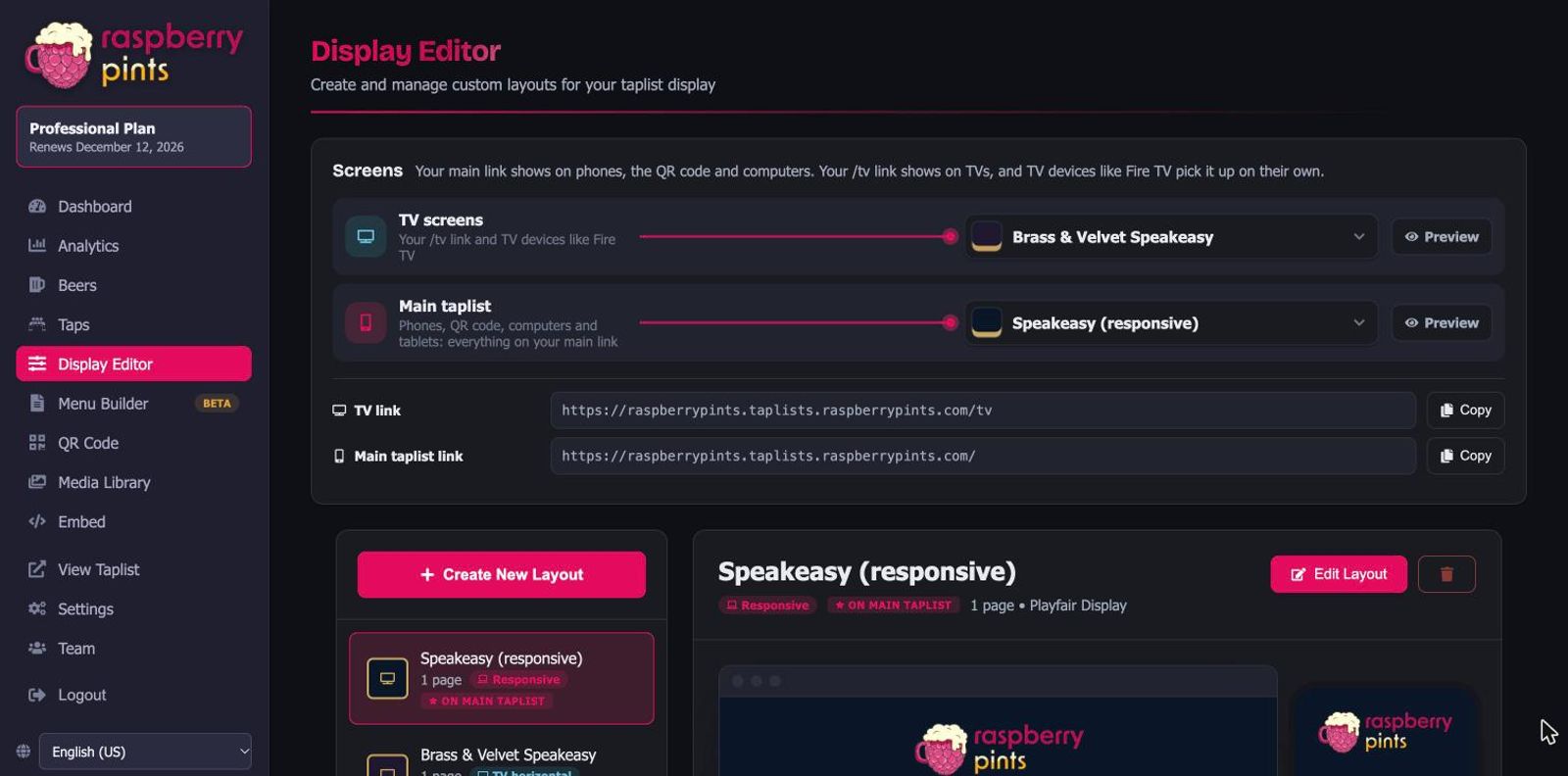
The new Screens card shows what's on your main taplist and what's on your TVs, side by side. Your main link stays the same, and your taplist now also has a /tv link that always shows your TV layout. Use it on a smart TV browser, a Raspberry Pi, or any computer driving a TV. Fire TV and the RaspberryPints TV app pick up your TV layout on their own.
Version history
Every time you save a layout, the version it was is kept. Click the history button in the editor to see every save: when it was made, who made it, and what made it (you, a teammate, the layout designer, or a Describe it draft).
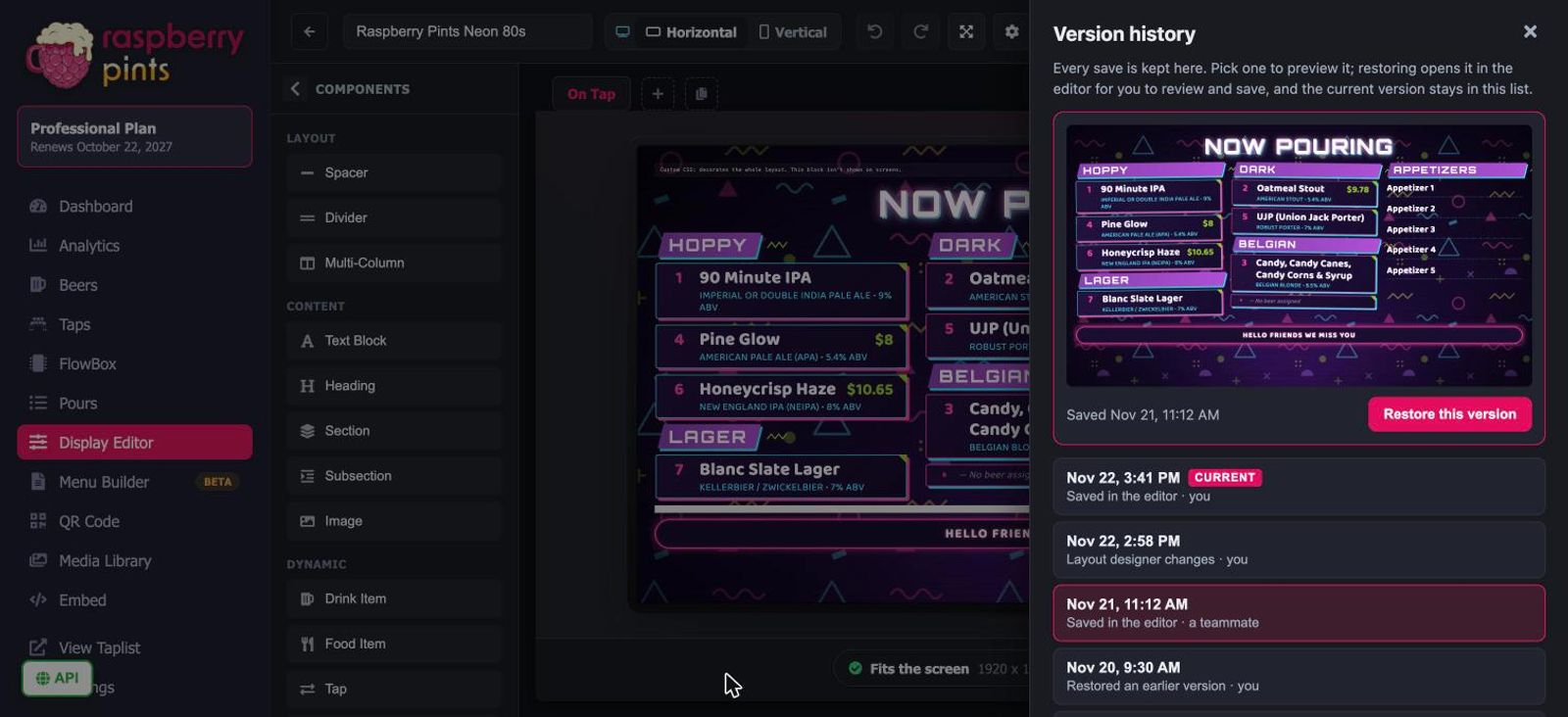
Pick any version to preview it, then Restore this version. It opens in the editor for you to review and save, and your current version stays in the history, so restoring never loses anything. Versions are kept for 90 days.
Undo and redo
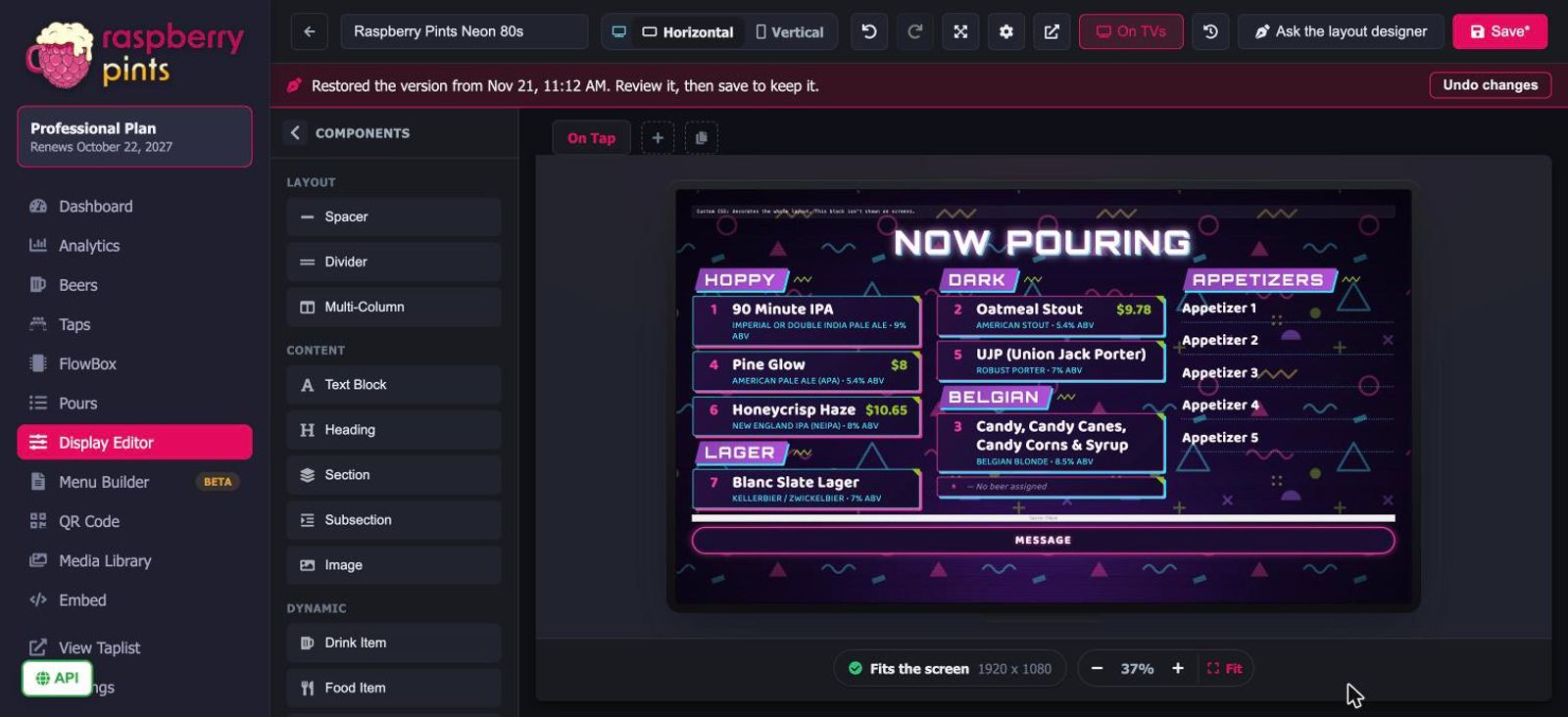
Made a change you didn't mean to? Undo and redo now work for every change in the Display Editor, as many steps back as you need. Use the new buttons in the top bar, or Ctrl/Cmd + Z to undo and Ctrl/Cmd + Shift + Z to redo.
Even more control
- Style any single piece of text. Click one beer's name, a price or a keg level and make just that one bold, bigger, or a different color or font. Use "Apply to all" to give every beer the same style.
- Collapsible categories. Group beers, food or anything else under a title guests can tap open on their phones. Choose how each one opens, whether it starts open, and show how many items are inside. TV screens always show everything.
- Custom CSS for one layout. Draw decoration the style settings can't, like neon squiggles, patterns or a slow flicker, or give any item a class name and restyle it. It only affects that layout. Included with the Basic and Professional plans.
Availability
Describe it and Ask the layout designer are included with the Professional plan: 5 new drafts and 15 changes every month. Your existing layouts keep working exactly as they do today.
Open the Display Editor in your admin to try it, and see the full list of changes in our changelog.
Cheers, The RaspberryPints team