
Version history, undo and redo
Undo and redo changes while you edit a layout, and look back at or restore any version of a layout saved in the last 90 days.
The Display Editor keeps two kinds of history. Undo and Redo step through your changes while you edit. Version history keeps every save of a layout, so you can go back to an earlier one.
Undo and redo
Use the Undo and Redo buttons in the editor's top bar, or the keyboard:
| Action | Keys |
|---|---|
| Undo | Ctrl or Cmd + Z |
| Redo | Ctrl or Cmd + Shift + Z, or Ctrl + Y |

Good to know:
- Every change to the layout's pages, styles or name is a step. Quick changes, like typing or dragging a slider, count as one step.
- The editor remembers your last 50 steps.
- The history lasts until you open another layout. Saving doesn't clear it.
- While you're typing in a field, the keys undo your typing in that field instead.
See earlier versions
Every time a layout is saved, the save is kept as a version. That includes saves from the editor, changes from the layout designer, Describe it drafts, and restored versions.
Open the layout in the editor
The layout must have been saved at least once.
Click Version history
It's the clock button in the top bar.

Look through the list
The newest save is at the top, marked Current. Each one says when it was saved, what made it and who saved it.
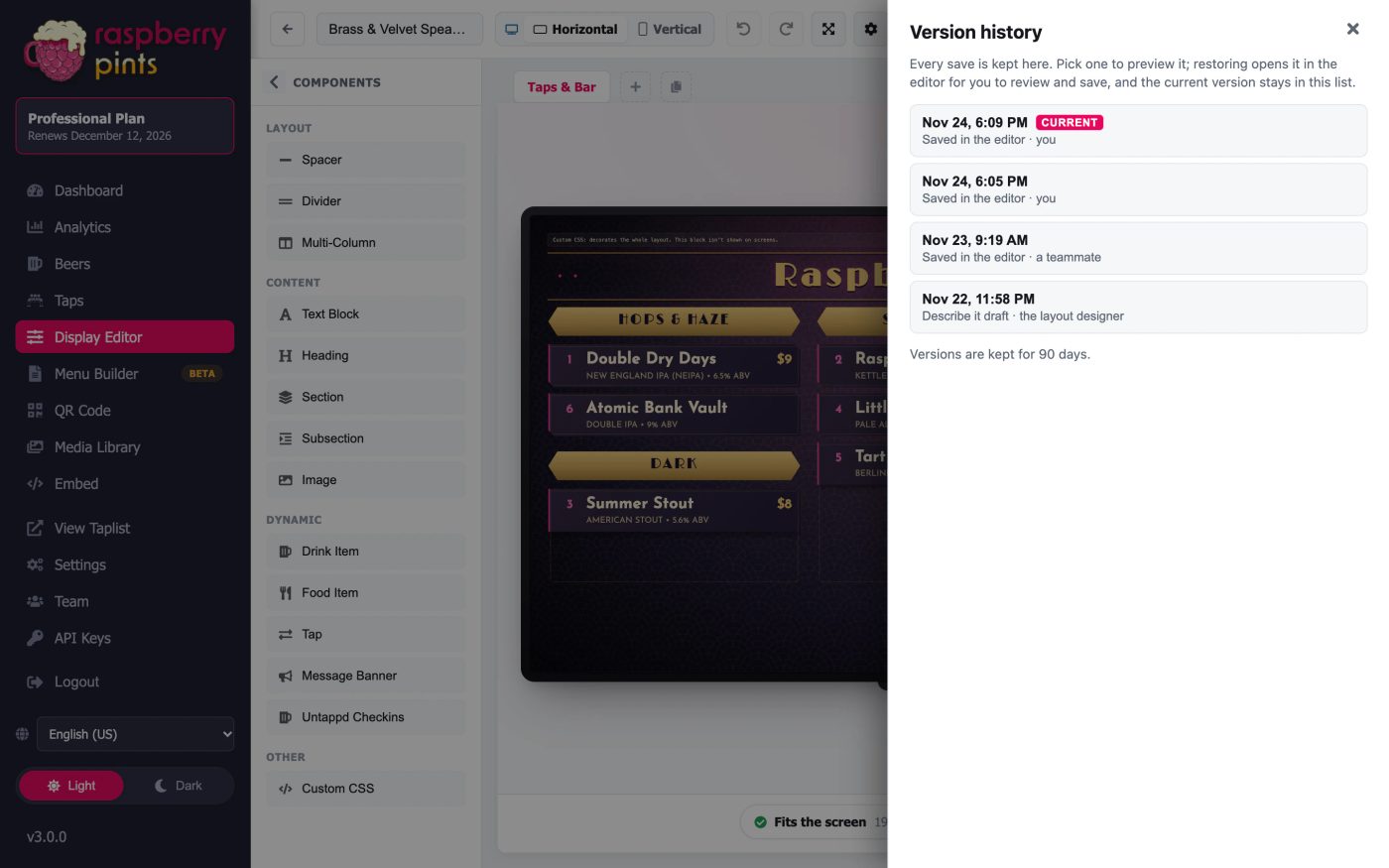
Click a version to preview it
The preview appears at the top of the panel.
What each label means:
| Label | The save came from |
|---|---|
| Saved in the editor | Someone clicking Save in the editor |
| Layout designer changes | Changes from Ask the layout designer, saved |
| Describe it draft | A draft from Describe it |
| Restored an earlier version | A restored version, saved |
| Before version history | The layout as it was before version history began |
The person is shown as you, a teammate, or the layout designer.
Restore a version
Click the version in Version history
Click Restore this version
The version opens in the editor. Nothing is saved yet.
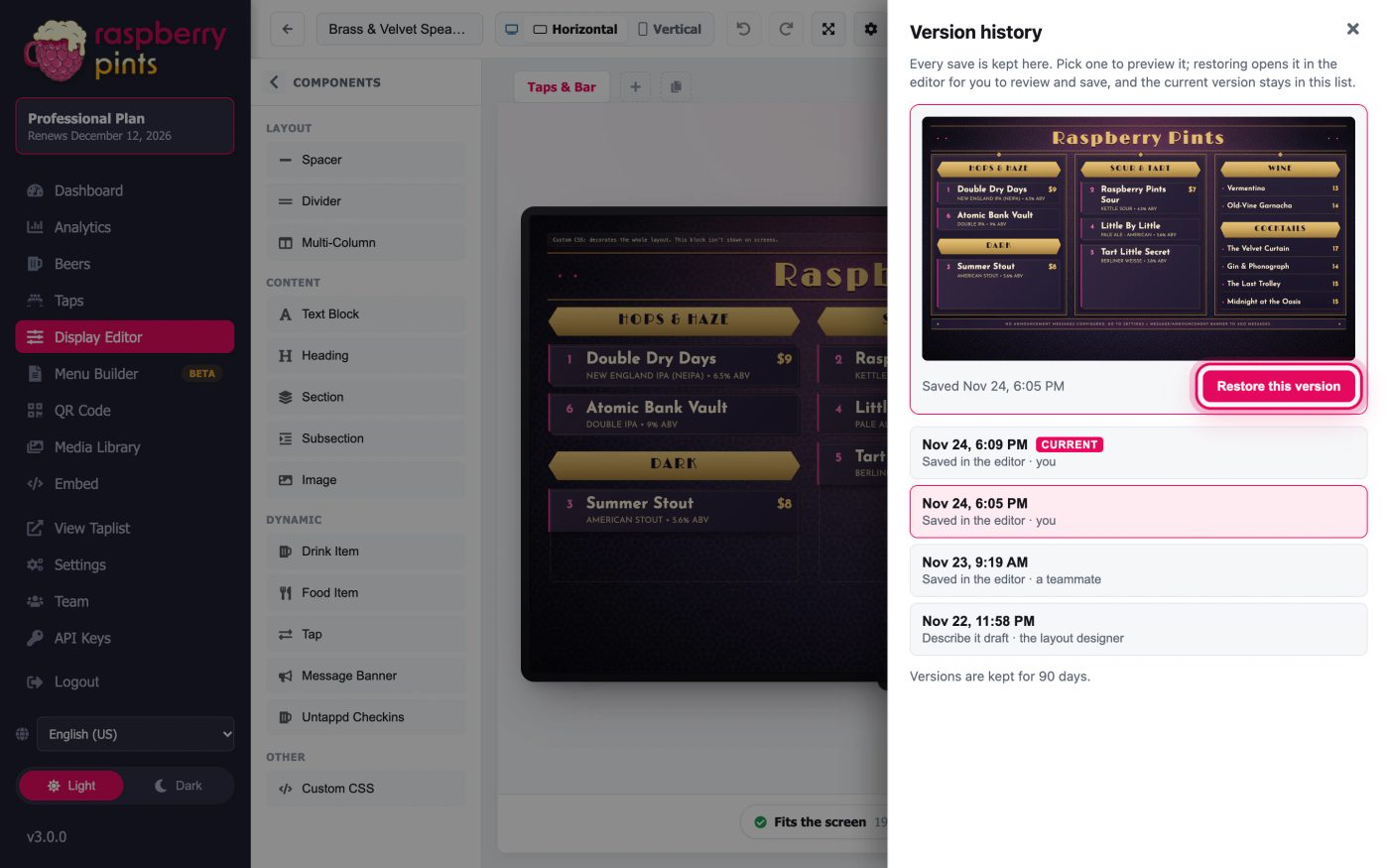
Check it, then click Save
A bar above the canvas reads "Restored the version from" and the date. Click Undo changes in that bar if you change your mind.
Restoring never deletes anything. The version you replaced stays in the list, so you can switch back.
Limits
- Versions are kept for 90 days.
- The list shows the 50 most recent saves.
- Only Owners and Managers can see a layout's history, like the rest of the Display Editor.
- Undo and redo are paused while the layout designer is changing the open layout (see Ask for changes).
Was this article helpful?