
Email alerts
Get an email when a keg is tapped, runs out or runs low, or when someone joins your team. Each manager and owner picks their own alerts in Settings.
Email alerts tell you when something happens at your brewery, so you don't have to keep the admin open. They're personal: each Manager and Owner picks their own, and they're all off until you turn them on.
Turn on alerts
Open Settings, then the Alerts tab
Settings is open to Managers and Owners.
Tick the alerts you want
Alerts go to the email address you sign in with.
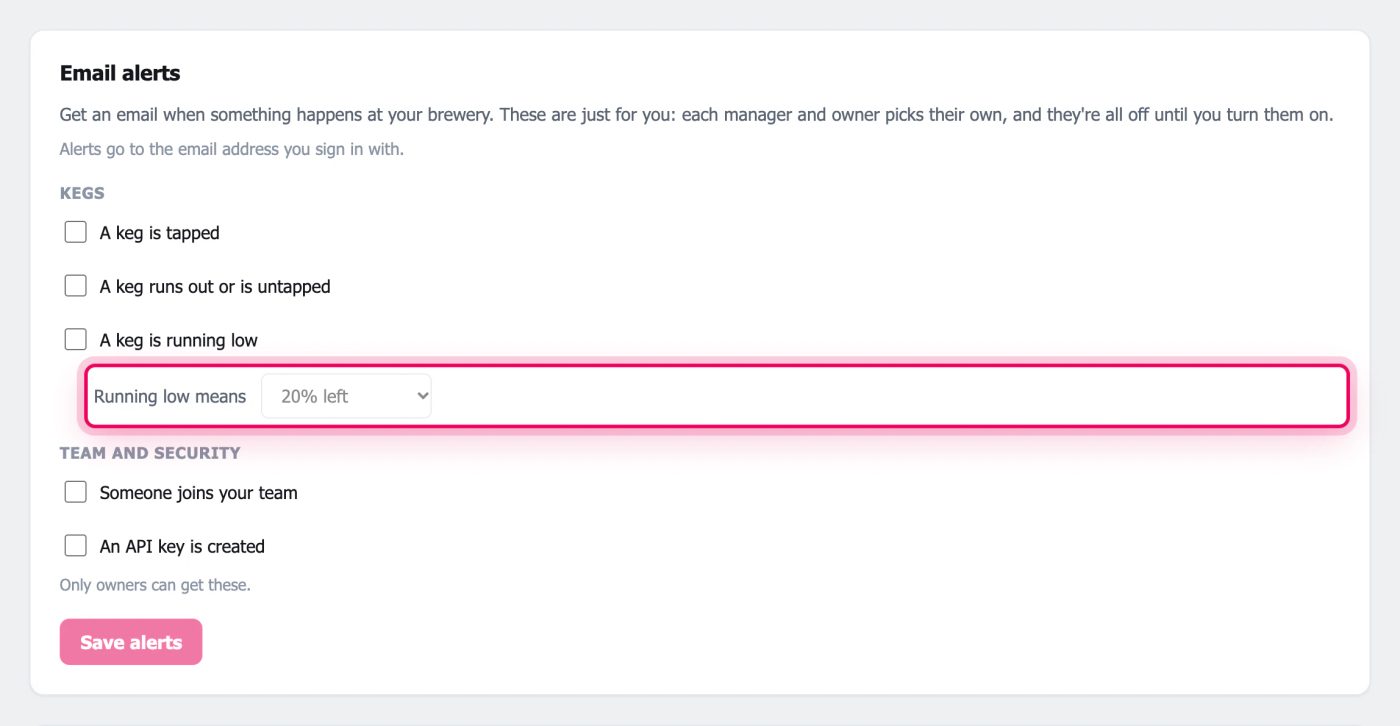
Set what "running low" means
If you ticked A keg is running low, choose 10% left, 20% left or 30% left under Running low means.
Click Save alerts
You'll see "Your alerts are saved." Alerts save on their own; the page's Save Settings button doesn't affect them.
The alerts you can choose
| Alert | When it's sent | Who can get it |
|---|---|---|
| A keg is tapped | A beer is put on a tap | Managers and Owners |
| A keg runs out or is untapped | A keg's count reaches zero, or someone untaps it | Managers and Owners |
| A keg is running low | A recorded pour takes a keg below your chosen level | Managers and Owners |
| Someone joins your team | A new member joins | Owners only |
| An API key is created | Someone creates an API key | Owners only |
"Runs out" and "running low" depend on pours being recorded for the tap. Without recorded pours, a keg stays full until it's untapped. See Keg levels and kicked kegs.
Monthly limit
Each brewery can be sent up to 2,000 alert emails a month, shared by everyone on the team. The Alerts tab shows how many have been sent this month and when the count starts again.

If your brewery reaches the limit, alerts pause until the 1st of next month and the owners get one email saying so.
Troubleshooting
I don't see Settings or the Alerts tab. Settings is for Managers and Owners. If you're Staff, ask an Owner to change your role on the Team page.
I'm not getting low-keg emails. Check that A keg is running low is ticked and saved, and that pours are being recorded for the tap. Also check the monthly limit.
Was this article helpful?