
Find a beer for your tap
Pour a guest beer without typing it in. Search beers other breweries have shared and a commercial beer catalog, right from the beer picker on the Taps page.
When you put a beer on a tap, the Select a Beer picker has two tabs. My Beers lists your own catalog. Find a Beer searches beyond it, so you can pour a guest beer without entering its details yourself. It works on every plan.
Search for a beer
Open Taps and find an empty tap
A tap that's pouring shows Untap instead of a picker. See Put beers on tap.
Click + Select Beer
The Select a Beer picker opens on My Beers.
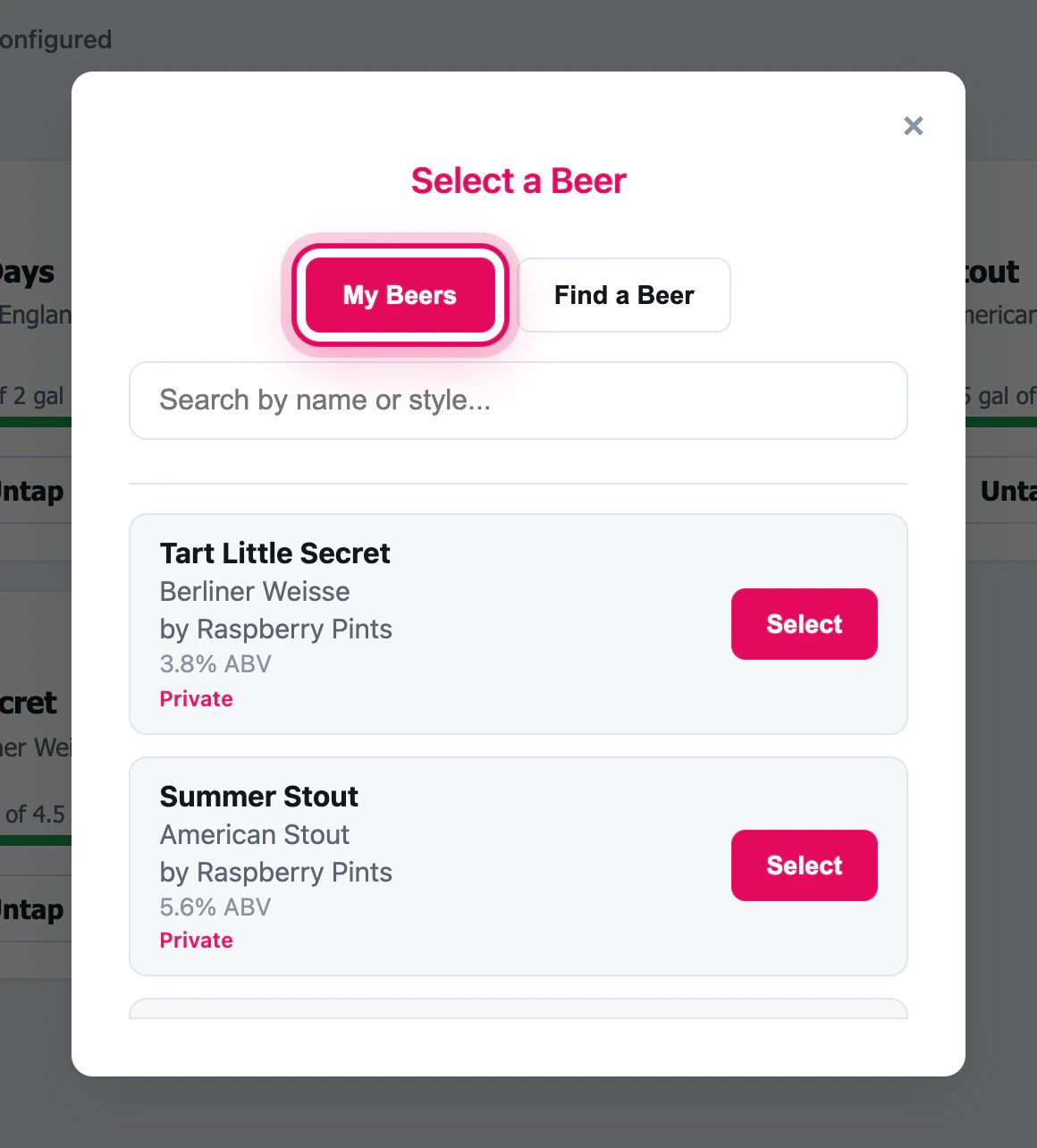
Click Find a Beer
The search box changes to "Search beers or breweries and press Enter...".
Type a beer or brewery name and press Enter
Or click Search. Results come back in two groups, described below.
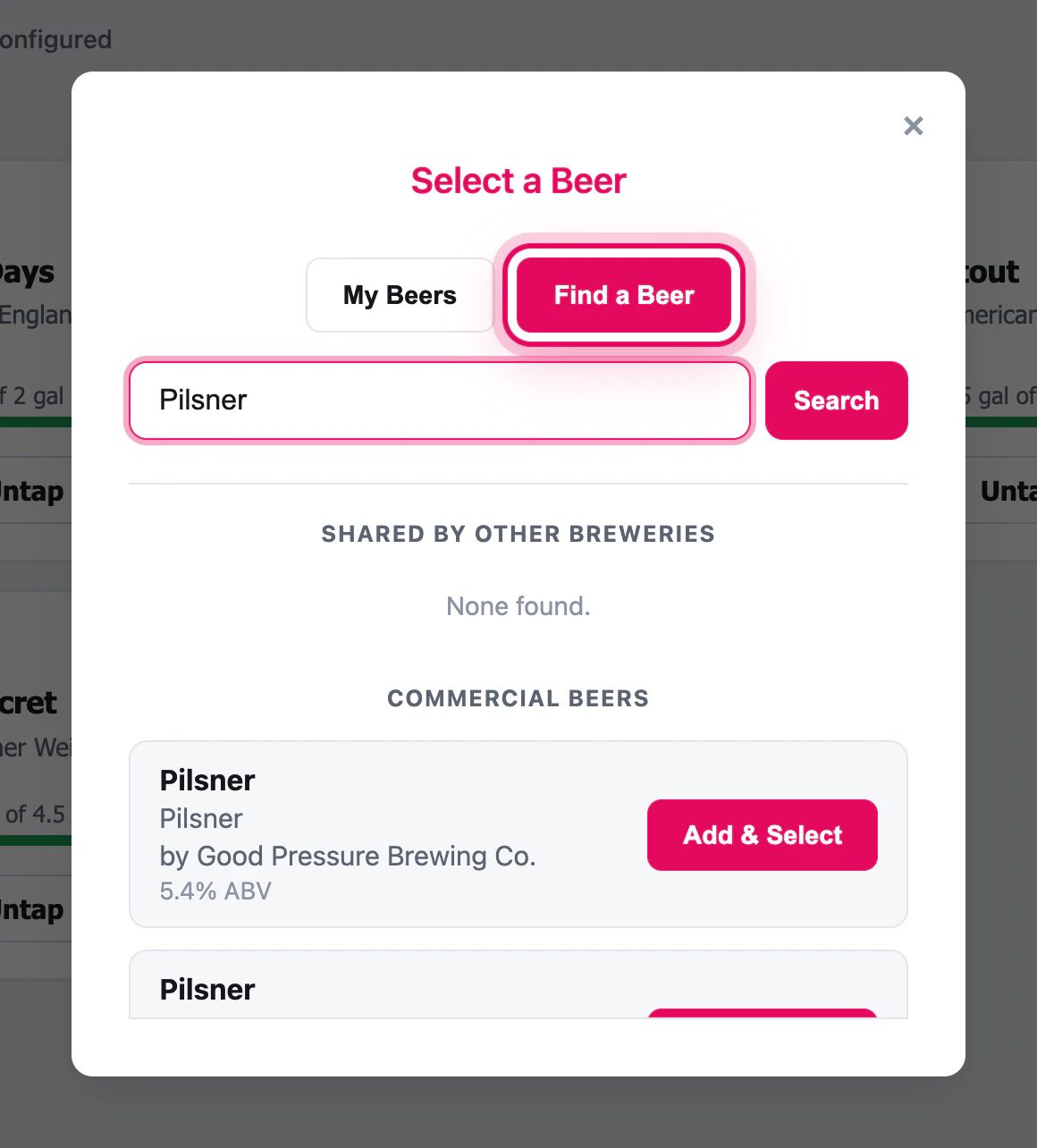
Pick a beer
Click Select for a shared beer, or Add & Select for a commercial one. The picker closes and the beer is chosen for the tap.
Choose a keg size and click Tap
The beer goes on your taplist.
The two kinds of results
| Section | What it is | What happens when you pick one |
|---|---|---|
| Shared by other breweries | Beers other RaspberryPints breweries have made public | Select puts the brewery's own beer on your tap. Its details stay theirs, and you can't edit them. |
| Commercial beers | Beers from Catalog.beer, a public catalog of commercial beers (CC BY 4.0) | Add & Select copies the beer into your own beer list, then picks it. You can edit your copy like any of your beers. |
A few details:
- The commercial search needs at least 2 characters.
- Shared results show 5 at a time; click Load More to see more.
- Search runs when you press Enter or click Search, not as you type.
After you add a commercial beer
The copy lives in your own catalog on the Beers page, marked Private. You can change its description or add a price. Its dialog notes that it was added from Catalog.beer, and it can't be made public: catalog data isn't republished to the shared list.
Share your own beers
If you make one of your beers public, other breweries can find it under Shared by other breweries. Making a beer public needs the Basic or Professional plan, and a public beer can't be edited while another brewery has it on tap. See Manage your beers.
Troubleshooting
"None found." under both sections. Try a shorter search, or the brewery's name instead of the beer's.
"None found." under Commercial beers after a one-letter search. The commercial catalog only searches terms of 2 characters or more.
A beer I added from Find a Beer isn't in My Beers. Shared beers are used straight from the other brewery and don't appear in your list. Commercial beers you picked with Add & Select do.
Was this article helpful?