
Show Untappd check-ins on your taplist
Connect your Untappd venue or brewery page and show a scrolling feed of recent check-ins on your taplist, with ratings and your own colors if you like.
If your taproom or brewery is on Untappd, your taplist can show what people are drinking: a scrolling feed of recent check-ins with the beer, the person and their rating. You connect your Untappd venue or brewery page once in Settings.
Untappd check-ins are available on every plan. You need to be a Manager or the Owner to change Settings.
Connect your Untappd page
Open Settings and the Integrations tab
Click Untappd Integration to open it. While it's closed, it shows Enabled or Disabled.
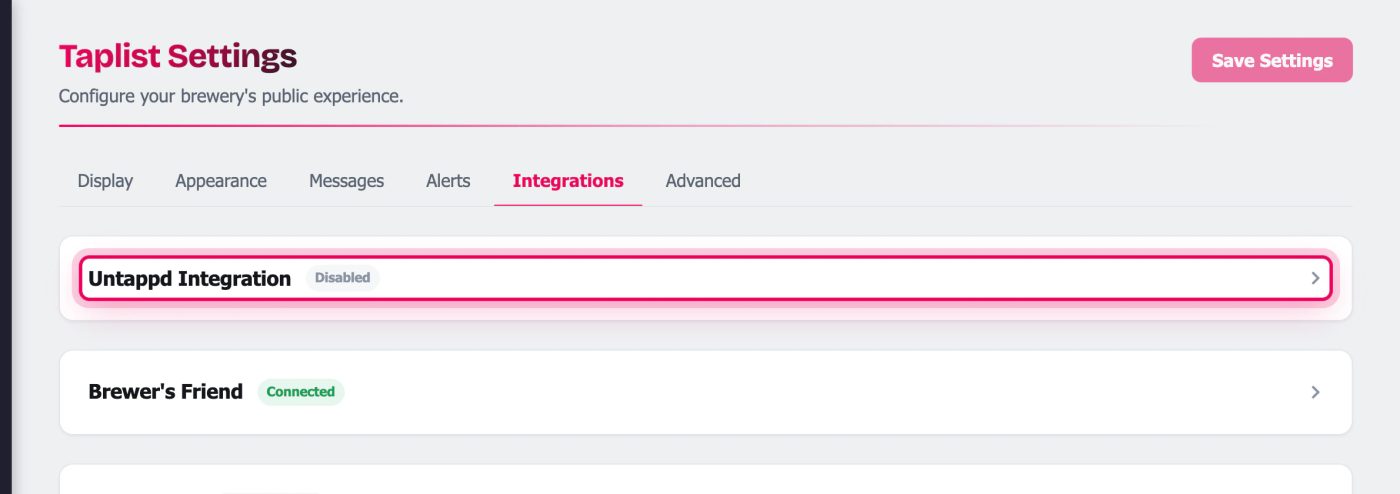
Tick Enable Untappd check-ins
The setup options appear below it.
Paste your Untappd address and click Parse URL
Under Method 1: Easy Setup, paste the address of your Untappd venue or brewery page into Untappd URL. It must be an untappd.com address.
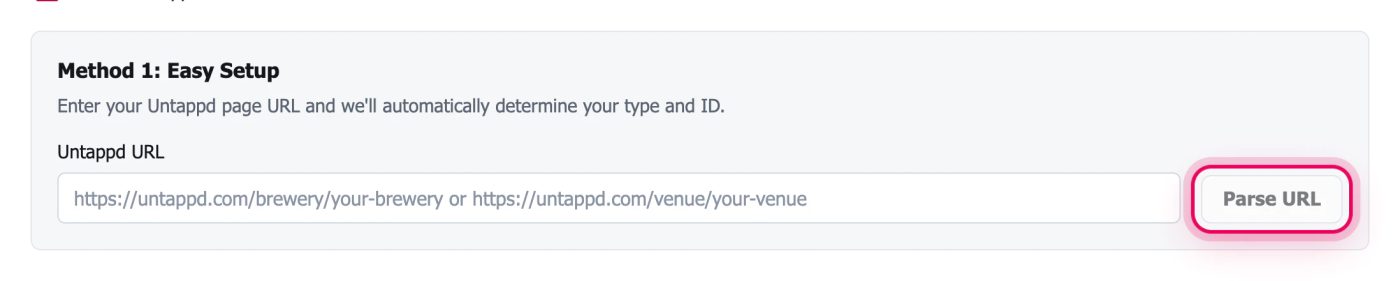
Check what was found
Found your Untappd page! shows the page's name, type and ID. Click Yes, this is me, or No, try again to start over.
Click Save Settings
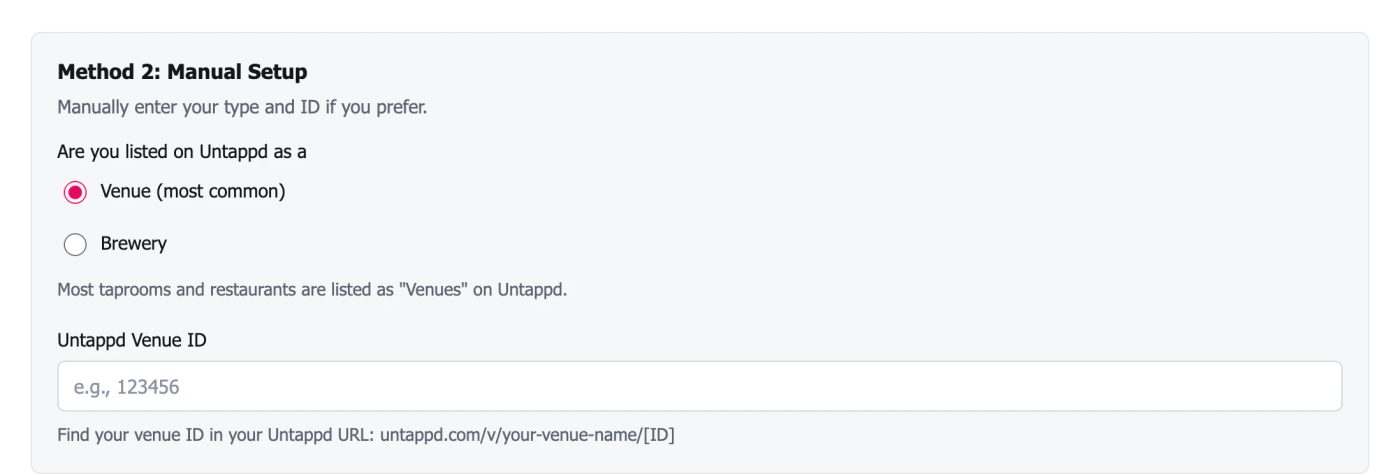
Enter your ID yourself
If you'd rather not paste an address, use Method 2: Manual Setup:
- Under Are you listed on Untappd as a, choose Venue (most common) or Brewery. Most taprooms and restaurants are listed as venues.
- Enter your Untappd Venue ID or Untappd Brewery ID. The hint under the field shows where to find it in your Untappd address.
- Click Save Settings.
Choose how the feed looks
These options are in the same section:
| Option | What it does |
|---|---|
| Display check-ins at | Top of page or Bottom of page. Only shown when your taplist uses the grid or column layout. |
| Number of recent check-ins to display | From 1 to 10. |
| Show ratings | Shows each check-in's rating. |
| Use taplist theme colors | Uses your primary and secondary taplist colors. Untick it to choose a Background Color and Text Color. |
The feed and the announcement banner can't share a position. If your banner is at the top, put the check-ins at the bottom, or the other way around.
Click Save Settings after any change.
Check-ins on a custom layout
With custom layouts, the feed goes where you put it. In the Display Editor, add the Untappd Checkins item to your layout (it's under Dynamic), then save the layout. The item has its own options, such as font size and alignment.
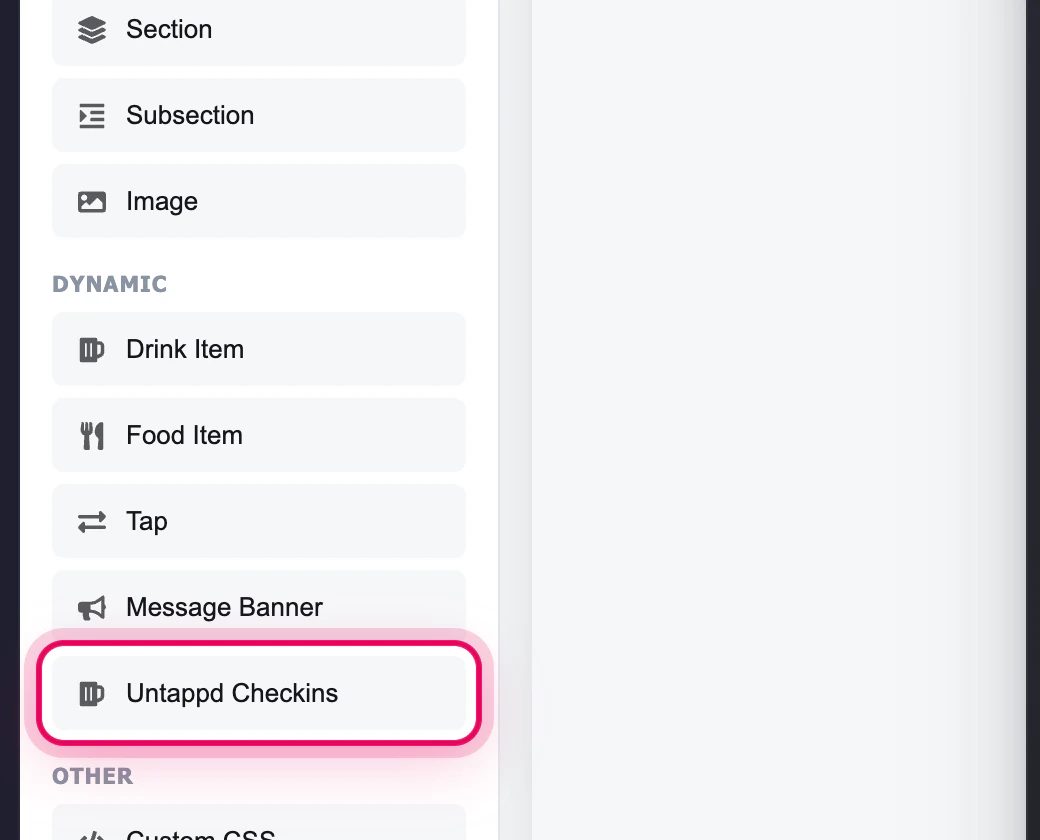
Turn on Enable Untappd check-ins in Settings first. Until you do, the item reminds you that the Untappd integration isn't enabled. Custom layouts and the Display Editor come with the Basic and Professional plans.
How it works
From the How it works notes in Settings:
- Recent check-ins appear as a scrolling feed on your taplist.
- The feed updates automatically every few minutes.
- Each check-in shows the beer name, the person and their rating from Untappd.
- If Untappd is unavailable, your taplist keeps working normally.
Troubleshooting
"URL must be from untappd.com". Paste the address of your page on untappd.com, such as https://untappd.com/venue/your-venue.
"Failed to parse URL". Check the address, or use Method 2: Manual Setup to enter your type and ID.
The position options are missing. Your taplist uses custom layouts. Add the Untappd Checkins item in the Display Editor instead.
Was this article helpful?